

Apply Without Repeated Training
Process defined document types without repeated model training when formats change partially.
DOCUMENT INFERENCE AI OCR
Predefined document types can be processed without retraining the model. The system adapts to certain layout and field-name changes, separates pages, identifies document types, and extracts required fields based on meaning.
01
NO ADDITIONAL TRAINING
Document types and extraction fields are defined during initial deployment. Pre-agreed document types then adapt to certain layout and field-name changes without retraining the model.
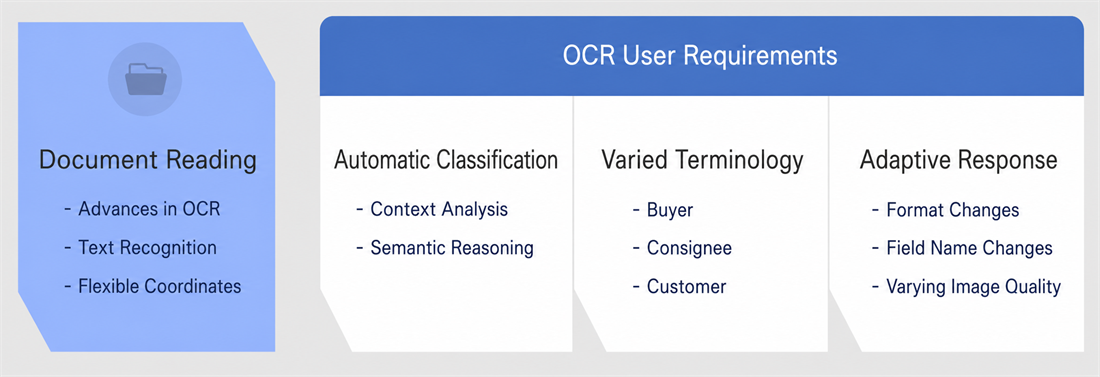
Process defined document types without repeated model training when formats change partially.
Separate pages and determine document types by analyzing their structure and content.
Interpret context and connect synonyms or abbreviations to a common business meaning before extracting required fields.
Adapt to layout and field-name changes, with configuration adjustments for major structural changes.
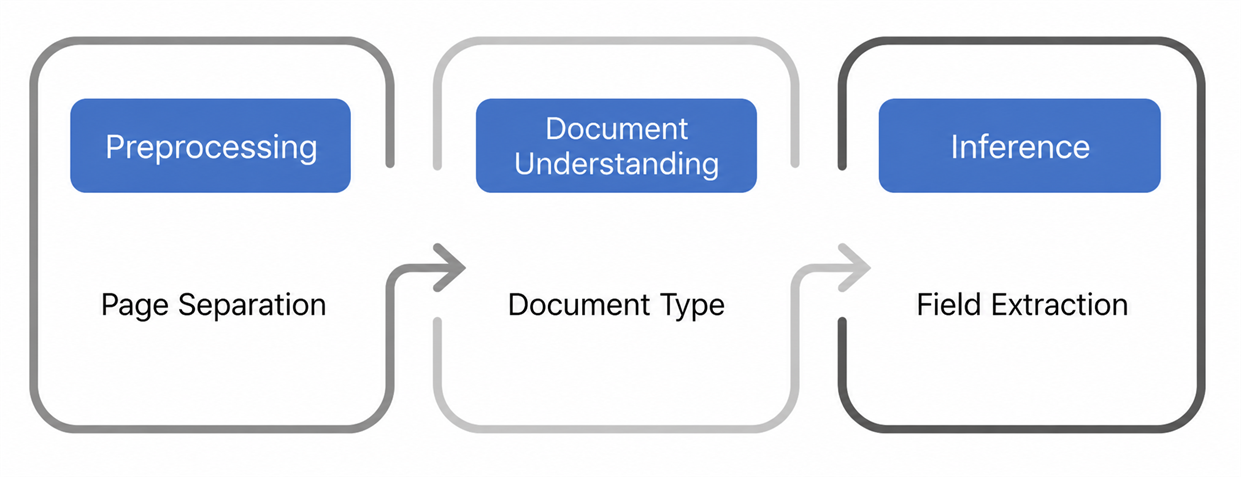
02
INFERENCE PROCESS
Document inference AI supports image correction, document classification, meaning-based extraction, validation, and system integration across the entire workflow.
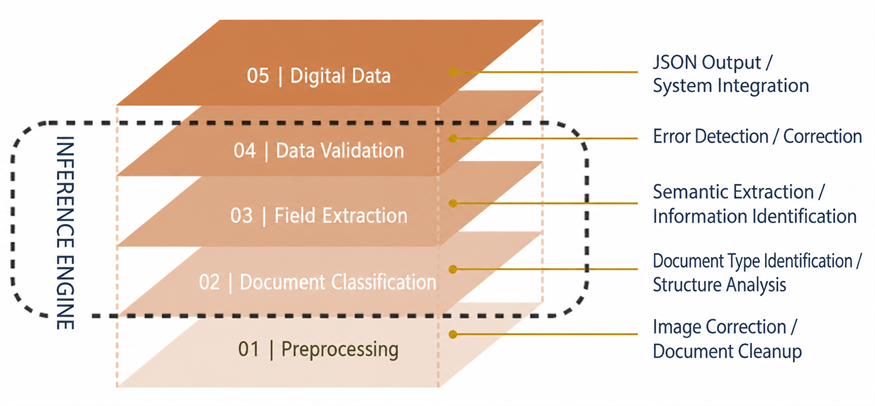
03
DOCUMENT TYPES
In workflows with diverse or frequently changing formats and extensive manual classification or entry, identify documents and extract required fields with less document-specific training.
Classify and extract fields from PO, SR, Invoice, Packing List, B/L, and Arrival Notice documents.
Process tax invoices, transaction statements, vouchers, card receipts, and tax notices.
Identify key information in vouchers, bank receipts, and financial application forms.
Recognize forms such as applications, contracts, and certificates and structure their business fields.
04
OPERATION
Support high-volume processing, data security, diverse input formats, and real-time monitoring.
Use multi-threaded processing to handle multiple documents and reduce workflow bottlenecks.
Customer content is not retained during external inference processing, subject to policy exceptions.
Process PDF, JPG, JPEG, PNG, BMP, TIF, TIFF, and multi-page PDF files.
Review document processing stages, results, and errors from a dashboard.
Generate validated data as JSON or another format ready for downstream systems.
Deploy within the customer's environment and tailor integration with data input and output systems such as ERP, groupware, and RPA to operational requirements.
05
DEMO VIDEO
See how images are preprocessed, documents are classified, and required fields are extracted without training for each document type.
Using sample documents, we assess classification, meaning-based extraction, and system integration without separate model training.